PDF Scanner - Reader
Al FayrouzTools
3.369.00 Reviews
- Version
- 1.1.2
- Installs
- 1.00M
- Age Rating
- Everyone
Screenshots
Our Review of PDF Scanner - Reader
 Analysis by Appyee
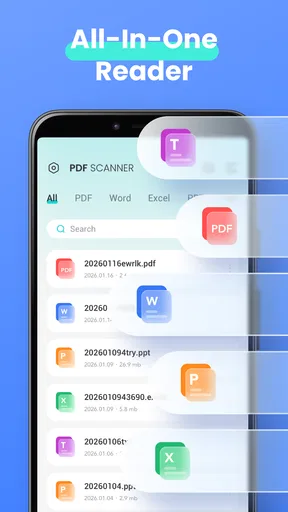
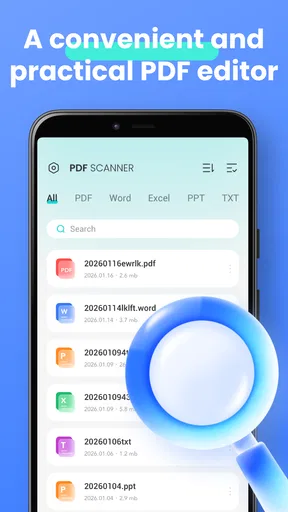
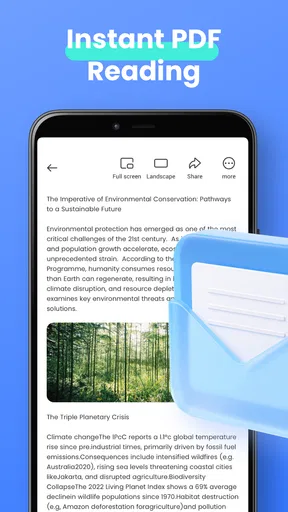
I usually decide whether a utility deserves a permanent place on my phone by asking a simple question: does it still save me time after the first few uses? PDF Scanner - Reader makes a good early impression because it focuses on a common nuisance—opening PDF, Excel, and Docx files without turning the phone into a full office workstation. From my first sessions, its appeal came from being direct rather than ambitious.
Developed by Al Fayrouz, this free Tools app is aimed at people who want a lightweight document viewer. It is available for Everyone and works on Android 8.0 or later. The current release is version 1.1.2, and its 3.7 average from around 863 ratings suggests a useful but not universally loved experience. That feels fair to me: it handles the basic reading job sensibly, while users expecting a complete scanner, editor, converter, or document-management suite may find its boundaries quickly.
What stays useful after the first week
During the first week, the strongest benefit is convenience. When a document arrives through a message or sits in local storage, I do not necessarily want to install a large office package just to read it. This app gives that situation a clear purpose: open the file, inspect the contents, and move on. That narrow role is also why it feels less intimidating than an all-in-one productivity app.
I found the app most comfortable for short checks rather than long editing sessions. A timetable, an invoice, a meeting attachment, a school handout, or a spreadsheet sent by someone else can be viewed without making me commit to a bigger workflow. The PDF side is naturally the most familiar use case, but the inclusion of Excel and Docx files makes it more practical for mixed attachments.
One useful habit is to treat it as an inbox reader, not as the place where documents permanently live. I open a file, confirm that it is the right version, read what I need, and then return to the app that sent or stored it. That approach reduces clutter and makes the viewer feel quick even when my phone contains documents from several unrelated tasks.
The first-week appeal also comes from its low commitment. It is free, and the audience is broad because the age rating is Everyone. I can recommend it to a family member who only needs to read occasional documents without first explaining a complicated office ecosystem. The fact that it has passed the 500K+ installs mark also indicates that this simple use case is familiar to many Android users, although popularity alone is not a substitute for a perfect reading experience.
A realistic everyday workflow
Imagine receiving a Docx attachment while standing outside a meeting. I would open it in the viewer, scan the headings, check the key paragraph, and close it before going inside. Later, I might inspect an Excel file to confirm a figure or open a PDF itinerary while travelling. In each case, the value is not advanced document work; it is removing a small interruption from the day.
There is a less obvious advantage to this workflow. A dedicated viewer can help separate reading from editing. If I only need to verify information, opening a full productivity suite can invite accidental changes, extra menus, or a request to sign in. With this app, the mental task stays smaller: look, confirm, and continue. For people who regularly receive documents but rarely create them, that distinction matters.
Another practical tip is to use the file’s original location as the source of truth. If a document is updated in cloud storage or a messaging thread, I would reopen the latest copy there rather than assuming an older local item is current. A lightweight viewer is helpful, but it does not replace a careful filing system. That is one of the first trade-offs I noticed: opening is easy, while maintaining a reliable document history remains my responsibility.
The app is also more suitable for quick visual checks than for serious spreadsheet work. A spreadsheet may be readable enough to confirm labels or values, but reading and editing are different needs. If I have to sort rows, enter formulas, compare several sheets, or correct formatting, I would switch to a dedicated office application. The same applies to Docx files that require tracked changes, comments, or precise layout control.
Where the lightweight approach begins to show
The phrase “lightweight viewer” sets an important expectation. I would not choose this app as my main document workspace. A viewer can answer “what does this file say?” without answering “how do I revise, sign, organize, or share it as part of a larger process?” That limitation is not automatically a flaw, but it becomes important if my needs grow beyond inspection.
PDFs are often designed for stable presentation, while Excel and Docx files can depend on complex formatting, embedded elements, or wide layouts. On a phone, even a capable viewer may make such files less comfortable than they are on a larger screen. My advice is to use the app for confirmation and reading, then move to a computer or full office tool when the document itself becomes the work.
This is also where the 3.7 average makes sense in context. The app can be perfectly adequate for a person with occasional viewing needs and still disappoint someone who expected a scanner, editor, or complete file manager. The name “PDF Scanner - Reader” may lead some people to expect scanning tools, but I would approach it primarily as a reader. That distinction should be clear before making it part of a daily document routine.
Does it earn lasting space on the phone?
I’d use this section to weigh whether the app’s focused reading role keeps paying off once the initial convenience wears off. I’d also consider a practical test: compare how smoothly it opens the files you actually receive with the phone’s existing options, then keep it only if that difference saves you effort.
Month-to-month value for occasional readers
After the novelty fades, the app’s value depends on how often I receive documents. If PDF, Excel, and Docx attachments appear throughout my month, keeping a small viewer installed can be sensible. Its recurring benefit is not excitement; it is readiness. I do not have to search for a suitable reader each time a file arrives, and I can handle basic checks without expanding the task.
For someone who opens a document only once every few months, the case is weaker. Android already provides ways to open many common file types, and other installed apps may already cover the same job. In that situation, another icon can become dead weight. I would keep this app only if its behavior feels more dependable or simpler than the alternatives already on the phone.
The strongest long-term audience is therefore quite specific: people who need a quiet utility for mixed office files, but do not need to edit them. Students checking course material, families opening forms, freelancers reviewing attachments, and workers verifying documents away from a desk can all benefit. It is less compelling for writers, accountants, designers, or administrators whose documents are part of a continuous production process.
Compared with a full office suite, this app is easier to justify as a small-purpose tool. The alternative offers more power, but that power can bring more navigation and a larger mental load. Compared with a dedicated PDF reader, this app’s attraction is the broader file mix. Compared with a phone’s built-in file-opening behavior, its advantage depends on whether it gives me a smoother, more consistent route to these formats.
That comparison also reveals the main trade-off. A specialized viewer may be faster for a narrow task, while a larger suite is better when tasks connect together. If I read a PDF, edit a Docx, update a spreadsheet, and export a final copy in one sitting, I would rather use the larger suite. If I only need to inspect an attachment and avoid unnecessary complexity, PDF Scanner - Reader has the more comfortable role.
Maintenance is low, but not completely absent
The maintenance burden is modest because the app’s purpose is straightforward. I would not expect to spend time configuring it every day. The real maintenance is organizational: keeping files named sensibly, removing duplicates, and remembering which copy is current. The viewer can open documents, but it cannot make a messy document collection orderly by itself.
I would also check that the app remains useful after Android updates and after changes to the way files are downloaded by messaging or storage apps. This is not a criticism aimed at one specific function; it is a normal part of relying on any document utility. A reader that works well in isolation can still feel inconvenient if reaching the file requires several confusing steps elsewhere.
My practical setup would be simple. I would keep frequently used documents in a clearly named folder, use the viewer for quick inspection, and avoid treating every opened attachment as something worth saving forever. This workflow reduces repeated searching and prevents the app from becoming a second, disorganized archive. The more disciplined the file handling around it, the more useful the app becomes.
There is also a privacy-minded maintenance habit worth adopting: open sensitive documents only when necessary and avoid leaving unnecessary copies in download folders. I am not assigning a specific privacy feature to the app here; I am describing responsible use of any document viewer. Bank forms, identity documents, and work files deserve the same care whether they are opened in this app or another one.
What may cause fatigue over time
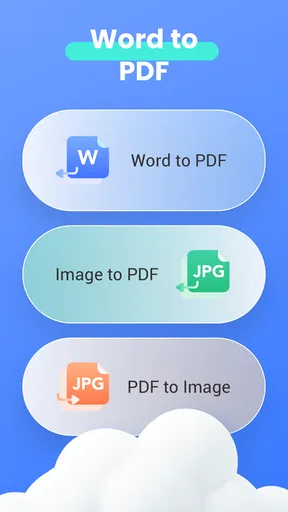
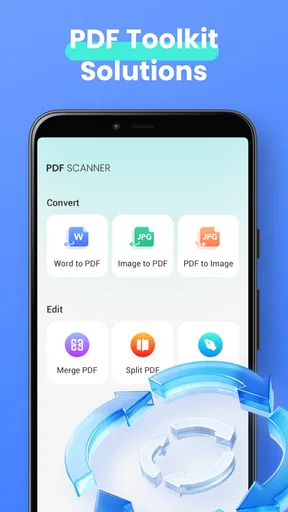
The first source of fatigue is expectation. If I install it hoping to scan paper pages, create searchable files, annotate PDFs, or convert formats, the experience may feel incomplete. The short description calls it “PDF Scanner,” but my lasting assessment is based on its reader role. I would not make it the center of a scanning workflow unless the exact tools I need are clearly available in my own use.
The second source is repetition. Opening one attachment is easy; opening dozens of documents while switching between folders, messages, and cloud services can expose every small navigation inconvenience. A lightweight app feels excellent when the task is short. It may feel less satisfying when I need batch handling, structured folders, or a long review session.
The third is screen size. A phone is convenient for a quick glance, but wide spreadsheets and dense documents can become tiring. Pinching and repositioning may be acceptable for a single check, yet frustrating when I must compare several sections. For extended work, a tablet, computer, or office suite with better layout controls is the better choice.
There is also a human fatigue factor: a viewer does not eliminate decisions about file versions. If I receive revised documents through different channels, I still need to identify the newest one. The app can support the reading step, but it cannot replace a clear naming convention or a reliable source. Users who expect automatic document organization should look elsewhere or pair this app with a stronger file-management system.
Who should install it, and who should skip it?
I would recommend it to someone who regularly opens mixed document attachments and wants a free, uncomplicated tool for reading them. It is especially reasonable for an Android phone that needs a straightforward way to inspect PDFs, spreadsheets, and Word-style documents without turning every small request into a full productivity session.
I would skip it if document work is central to my job. If I need editing, collaboration, comments, signatures, conversions, formulas, or dependable control over complex layouts, a dedicated office environment will save more time in the long run. I would also skip it if my current phone already opens every required format comfortably and I have no recurring problem to solve.
For families and occasional users, the Everyone rating and free price make the decision easy to test. I can try it without paying for access, then judge it by a simple measure: does it open the files I actually receive and let me read them without unnecessary friction? That personal test is more useful than choosing it solely because it has a large install base or a visible rating.
My long-term verdict
After the first-week appeal wears off, PDF Scanner - Reader remains useful as a small, focused tool rather than a complete document system. I like the idea of keeping it available for quick checks, especially when my files mix PDF, Excel, and Docx formats. Its best quality is restraint: it addresses a narrow need without asking me to build my entire workflow around it.
Its lasting value depends on honest expectations. Think of it as a reader that helps me inspect documents, not as a replacement for scanning software, an office suite, or a serious file archive. Once I accept that boundary, the limitations become easier to manage. I can use it for the first step of a task and switch tools when the task becomes more demanding.
My recommendation is cautious but positive: keep it if you often receive documents and want a lightweight viewer ready for the next attachment. Give it a pass if you need to create, revise, organize, or collaborate on files every day. The app earns lasting space not through novelty, but through the small recurring convenience of making document checks less complicated.
With version 1.1.2, Al Fayrouz presents a practical utility for a clearly defined audience. It is not the most complete answer to every document problem, and its 3.7 average reflects that it will not satisfy every expectation. For my own phone, I would judge it by frequency of use: if I open mixed office files every month, it is worth keeping; if not, its place may be better taken by the tools I already use.
Verdict
Strengths of PDF Scanner - Reader
- Scans documents quickly using the phone’s camera
- Supports multiple pages in a single PDF file
- Automatic edge detection improves scan framing
- Useful tools for cropping, rotating, and adjusting scans
- Convenient for storing receipts and notes digitally
Limitations of PDF Scanner - Reader
- Scan quality depends heavily on lighting and camera focus
- Some features may require a premium subscription
- Large multi-page PDFs can take up considerable storage
- Text recognition may produce errors with handwriting
- Advanced sharing options may be limited without an account
Similar Picks in This Category
View All
Google LLC4.0

Gboard - the Google Keyboard
Google LLC4.5

Google Play services
Google LLC4.3

Google Play Store
Google LLC4.9

Files by Google
Google LLC4.5

SHAREit: Transfer, Share Files
Smart Media4U Technology Pte.Ltd.4.3
Frequently Asked Questions
What is PDF Scanner - Reader used for?
PDF Scanner - Reader is designed to turn your phone into a practical document-scanning and PDF-reading tool. You can capture receipts, notes, forms, contracts, and other paper documents with the camera, save them digitally, and open PDF files from your device. It is especially useful for students, office workers, travelers, and anyone who wants to reduce paper clutter.
Does PDF Scanner - Reader create clear and professional-looking scans?
The app generally produces good results when documents are placed on a flat, well-lit surface. Automatic edge detection, cropping, perspective correction, and image enhancement can make pages easier to read than a standard camera photo. However, scan quality still depends on your phone’s camera, lighting, document condition, and how steadily you hold the device during capture.
Can I edit, organize, and share scanned PDF documents?
PDF Scanner - Reader typically provides useful tools for managing scanned files, including combining multiple pages into one document, rearranging pages, renaming files, and exporting or sharing PDFs. Depending on the version and platform, some advanced options may be restricted or presented differently. It is worth checking the available tools before relying on it for complex document workflows.
Does PDF Scanner - Reader require an internet connection?
Basic scanning and reading functions may work without a continuous internet connection, which is convenient when traveling or working away from Wi-Fi. Nevertheless, certain features can depend on online services, such as cloud synchronization, account access, advertisements, or advanced text recognition. If offline use is important to you, test the main scanning and viewing functions before leaving an internet-connected environment.
Is PDF Scanner - Reader safe for scanning private or sensitive documents?
You should review the app’s privacy policy and requested permissions before scanning passports, financial records, medical information, or confidential business files. Camera and storage access are normally necessary for scanning, but cloud backups or online processing may introduce additional privacy considerations. Use a device lock, avoid sharing links publicly, and delete sensitive files from the app when they are no longer needed.
